Home
Explore
Watch
News
Chat
Pulse
Level Up & Save
Exclusive discounts for Gold members
Channels

Originals

Toons

Marvel
Merryweather

DC

Dark Horse

Dynamite

IDW

Kodansha

Mad Cave

Top Cow

Vault

Indie Comics

Indie Manga
Downloads
Forums
Commissions
Gift Cards
@Crimsonangeltears
Member since Jun 2022 • United States
About
Creator of Crimson Angel Tears. Lover of Fantasy, Sci-Fi, Romance, and Horror genres.
520
completions
14.4K
pages read
10
library
20
following
I'm attempting to create a Forum for my comic in the discussions section. However, when I start a new thread I cannot add links or images. For images, any link I use (Instagram, twitter or an upload site) cannot be used. For links, it took the link, but it just disappeared and doesn't show up in a test thread. Am I doing something wrong?
Thank you in advance!

@Crimsonangeltears
started following
3 years ago
Pluvias
Followers: 1172
Self-taught full time artist & content creator ✨ Entwined is my dream story from my teenage days, and I'm so exhilarated I'm finally making it come true!
@Crimsonangeltears
started following
3 years ago

inFINITY Comics
Followers: 39
inFINITY Comics is an independent comic group, co-created by comic artist D3lirium and writer D1scord. Our works often include religious symbolism and are LGBTQ+ centered. We specialize in making stories within our inFINITY comics universe.
@Crimsonangeltears
started following
4 years ago
SparkleArts
Followers: 410
Sadie Sparkle lives in a tiny village in the English countryside where she makes comics about feminism, big soft cats, and all things sparkly.
@Crimsonangeltears
started following
4 years ago
Planet Spectra
Followers: 36
Latera is now on NamiComi.
@Crimsonangeltears
started following
4 years ago
CharlieDVan
Followers: 228
Artist. Author. Latine. Nonbinary. Bisexual. Disabled. 29. Creator of Take All You Can, Only Seasons, and House Of The Rising Sun.
EDIT: I was able to upload it so I could preview it. I suppose that heavy traffic when I was trying earlier was likely the issue. :)
@Crimsonangeltears
started following
4 years ago

Kekreations Art
Followers: 69
I grew up always drawing dragons and writing stories, so I'm excited to finally bring one of them to life! The lore of this particular comic has been in the making for about 14 years now and I'm excited to finally be sharing it with the world outside of my small circle and hope people enjoy it!
@Crimsonangeltears
started following
4 years ago

Neil Gibson's Twisted Comics
Followers: 12641
Welcome to Neil Gibson's Twisted Comics! We're dedicated to delivering the finest spine-tingling and mind-bending stories that entertain, educate, and surprise our readers. Join us in exploring the unexpected! #GetTwisted
@Crimsonangeltears
started following
4 years ago
Novelist Nickie
Followers: 569
Writer and creative director of 'No Strings' and "Fragments of Sky'
@Crimsonangeltears
started following
4 years ago
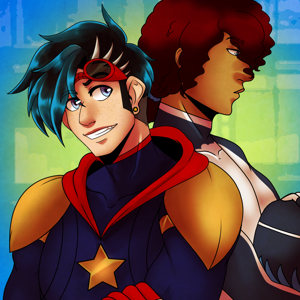
Pomspom Art
Followers: 83
@Crimsonangeltears
started following
4 years ago
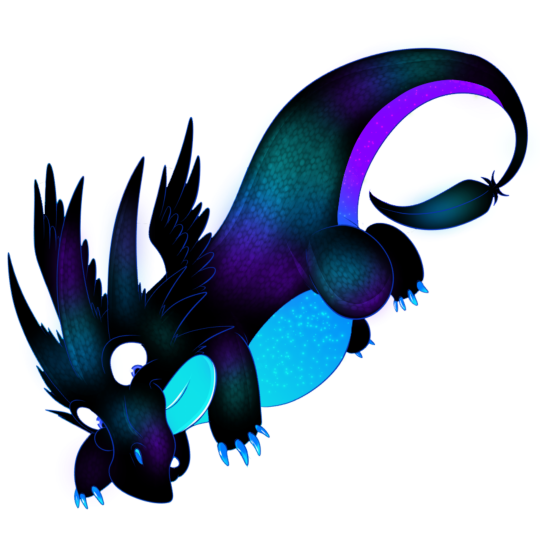
ELFGrafix
Followers: 61
Hi ELF I live in the UK and I'm the creator of Loving Wings and coming soon a revamped Guardian Wings vol 1 and Guardian Wings vol2. I have a cat, and a few fish, I do like photography too, and if I'm not doing art I'm with my camera.
